
Try Now

How to setup Cloudflare

Cloudflare is one of the most popular CDN service and SpeedyCache is compatible with it and is easy to integrate. SpeedyCache once linked with Cloudflare CDN automates the process of purging of Cache on Cloudflare and sets some settings on Cloudflare to prevent incompatibility with SpeedyCache.
Here we are assuming that you already have a Cloudflare account and have added your website there. And if you haven't done that then check this Guide from Cloudflare on Creating a Cloudflare account and adding a website

Setting-up Cloudflare
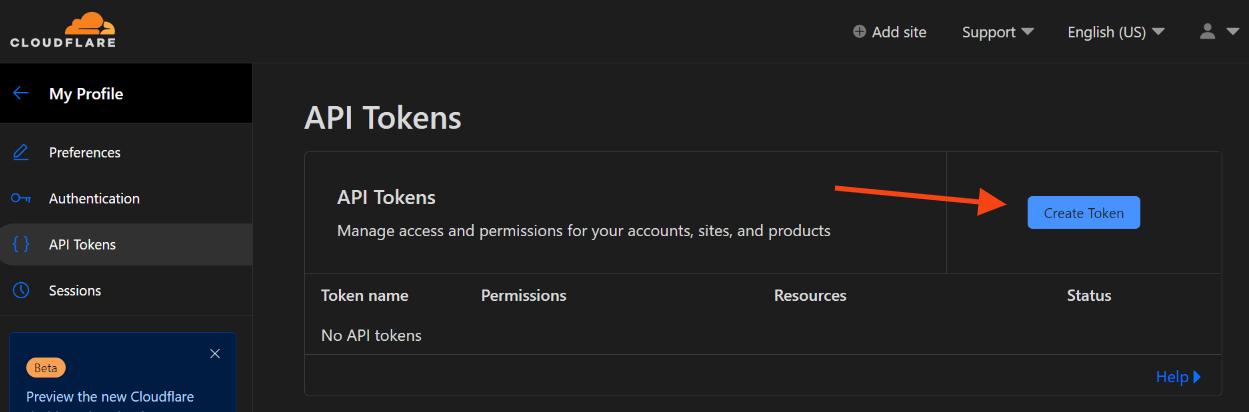
cloudflare-create-token
  • Now you will be redirected to a page where you will have to choose API Template,from the list of templates Choose WordPress by Clicking the Use Templatebutton.
cloudflare-wordpress-template
  • After selecting the WordPress Template, the required permissions will be configured automatically. you need to manually add one additional permission:
  • Zone/Cache Rules:Edit
cloudflare permission
  • Once you have added the required permission, scroll down to the bottom of the page and click the Continue to summary button to proceed with the configuration.
cloudflare-continue-to-summary
  • Then on next page just click on Create Token button.
cloudflare create token
  • Now copy the Token and go to WordPress Admin > SpeedyCache > CDN Tab > Cloudflare, in the API Token field paste the Token.
cloudflare-token

Connect SpeedyCache with Cloudflare

Step-by-step Integration Process

  • Go to WordPress Admin → SpeedyCache → CDN
speedycache cdn
  • Select Cloudflare from the dropdown menu.
CDN dropdown
  • Enter the API Token that you copied from Cloudflare.
api token
  • Turn on Enable Cloudflare & CDN, then click Save Settings.
Note
It is not required for you to Enable Cloudflare Page cache, use it if you need
enable-buttons

Verification of Cloudflare Integration

  • Check Cache headers
  • Open your website in Incognito tab in your browser.
  • Press F12 to open Developer Tools.
  • Go to Networktab and refresh the page and check the first request of your domain( e.g. Example.com)
  • Look for this headers in the response:
    Cf-Cache-Status : HIT (Cloudflare Cache)
header

Congratulations! You've successfully integrated Cloudflare with SpeedyCache. Your website should now benefit from global edge caching combined with optimized server-side caching, resulting in significantly improved performance for visitors Worldwide.

If you face any issue do let us know, you can contact us at support@speedycache.com

    Was this page helpful?
    Newsletter Subscription
    Subscribing you to the mailing list